SPECIFICATIONS
After-sale Service: Shop's Three Guarantees
Application: For Commercial
Battery Included: Yes
Brand Name: CHIKYTECH
Certification: CE,RoHS
Double-sided Printing: No
High-concerned chemical: None
Interface Type: TYPE-C
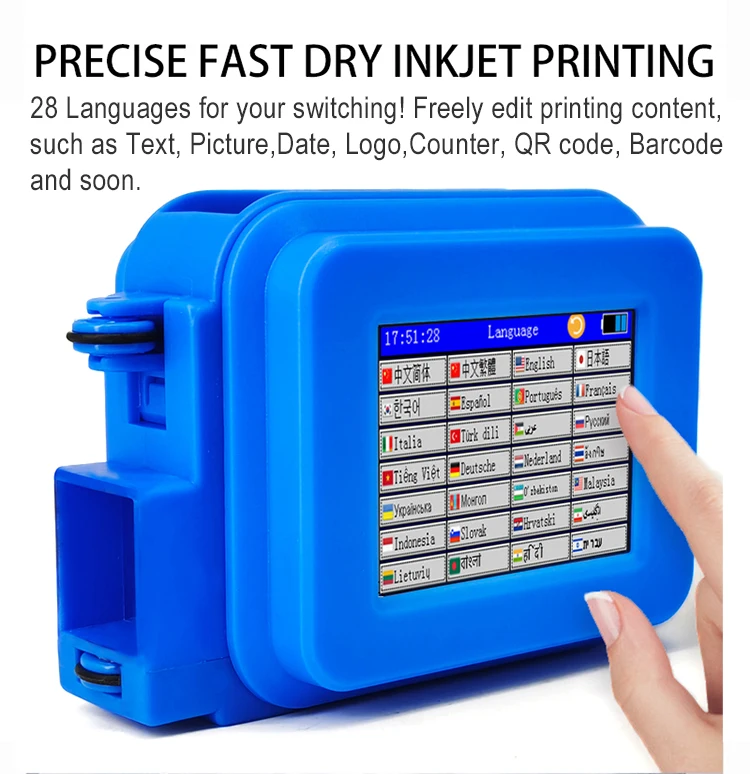
Language: 28 Languages
Material: ABS
Max Paper Size: A4
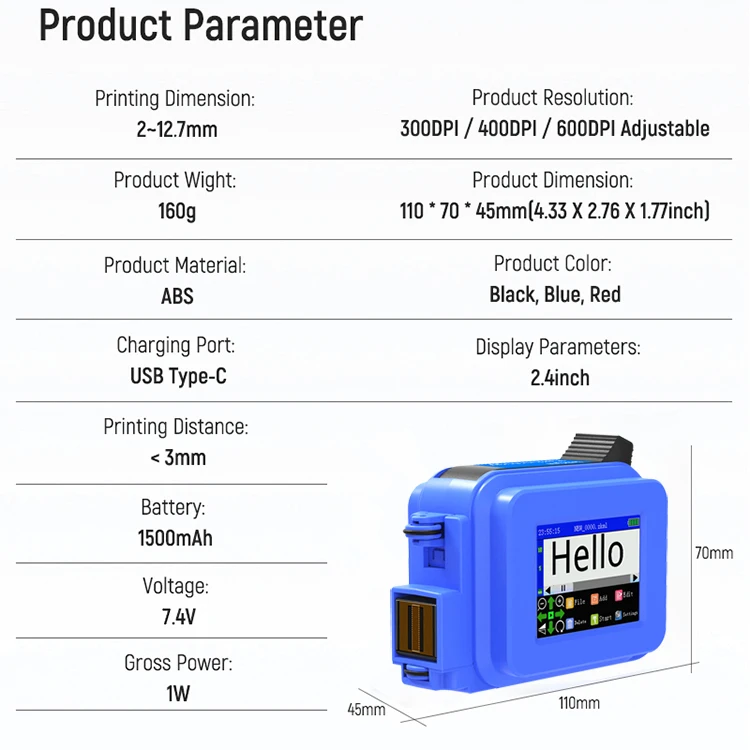
Max. Resolution: 600dpi
Origin: Mainland China
Paper Feed Mode: Automatic and manual
Print Speed: 16ppm,70m/min
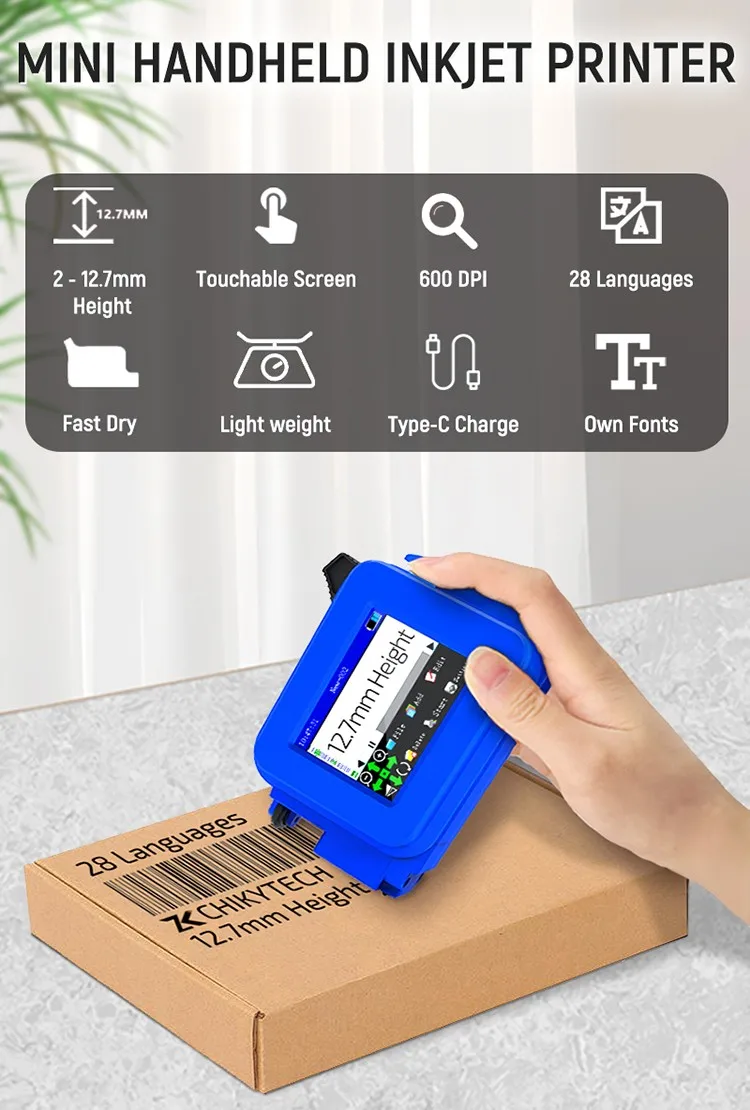
Printing Dimension: 2~12.7mm
Printing distance: < 3mm
Product Model: ZK1696
Signal Connection Type: None
Size: 110*70*45mm
Supports Network Printing: No
Type: Inkjet Printer
Use: Inkjet Printer
Voltage: 7.4V
Any Surface Hand Held Label Printing Machine Production Date Stamp Label Glass Printer Mini For Small Business
About Product:
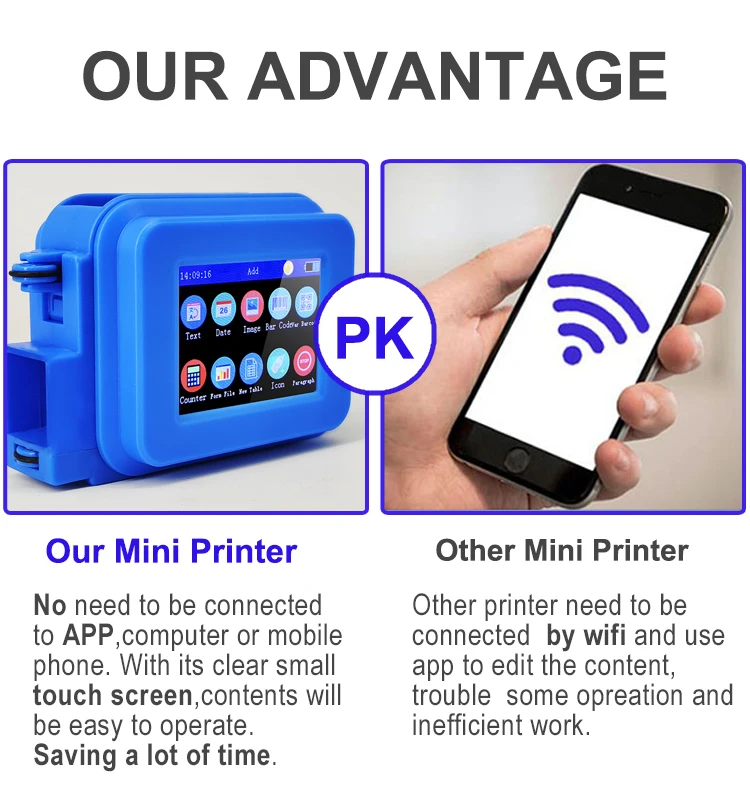
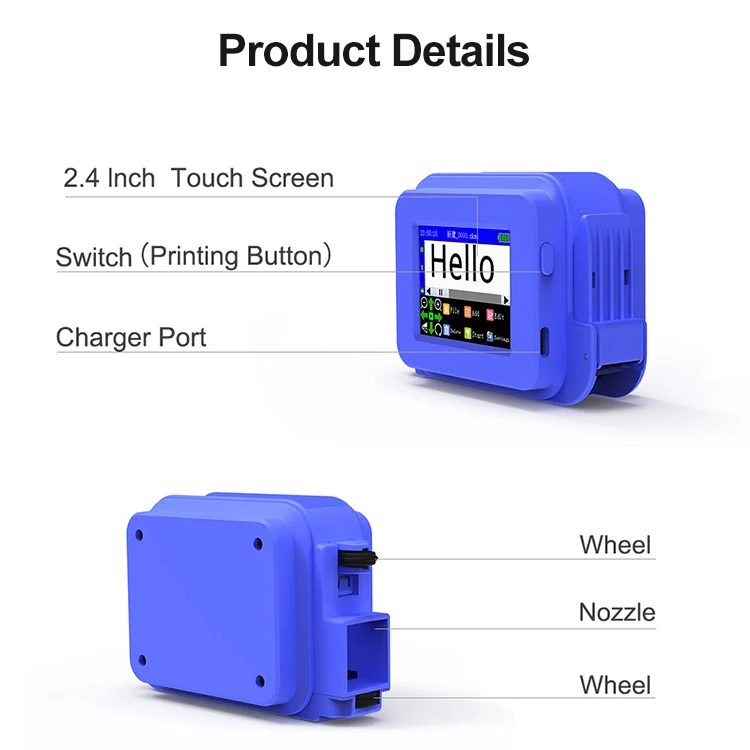
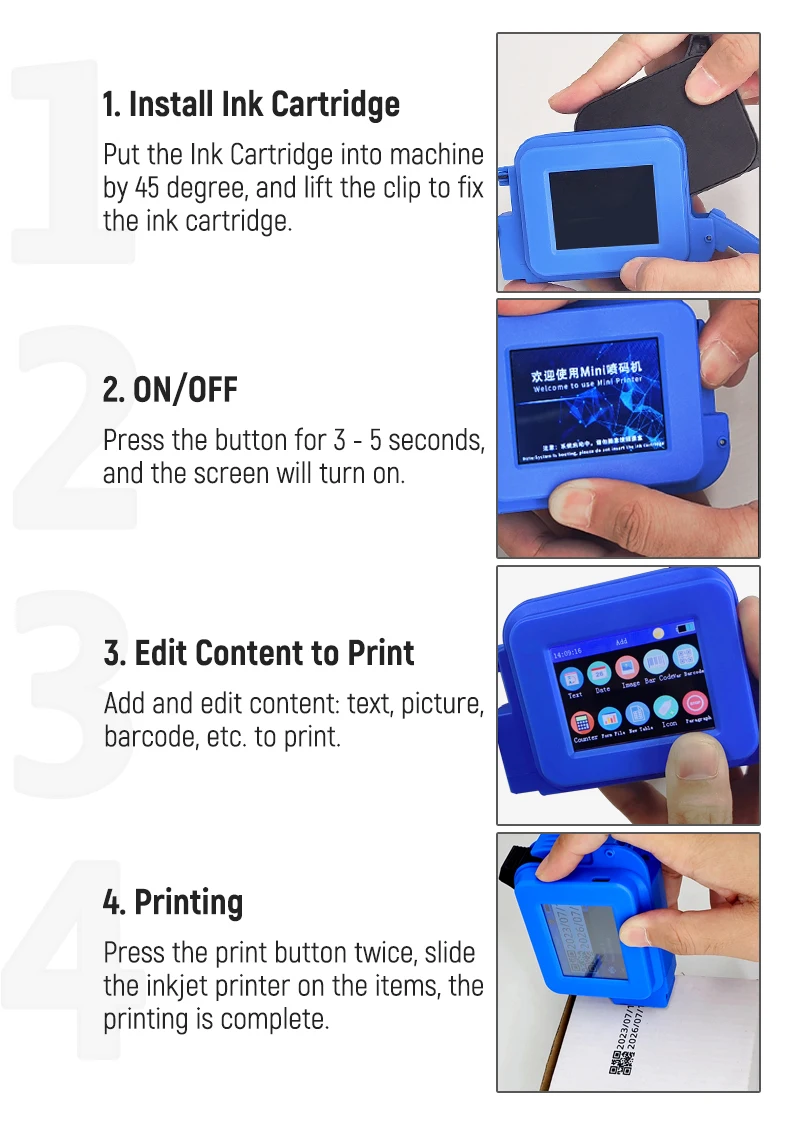
This Small Intelligent Mini Printer Support over 28 languages and input methods, with 2.4 inch colorful capacitive touch screen,free edit,what you see is what you get.
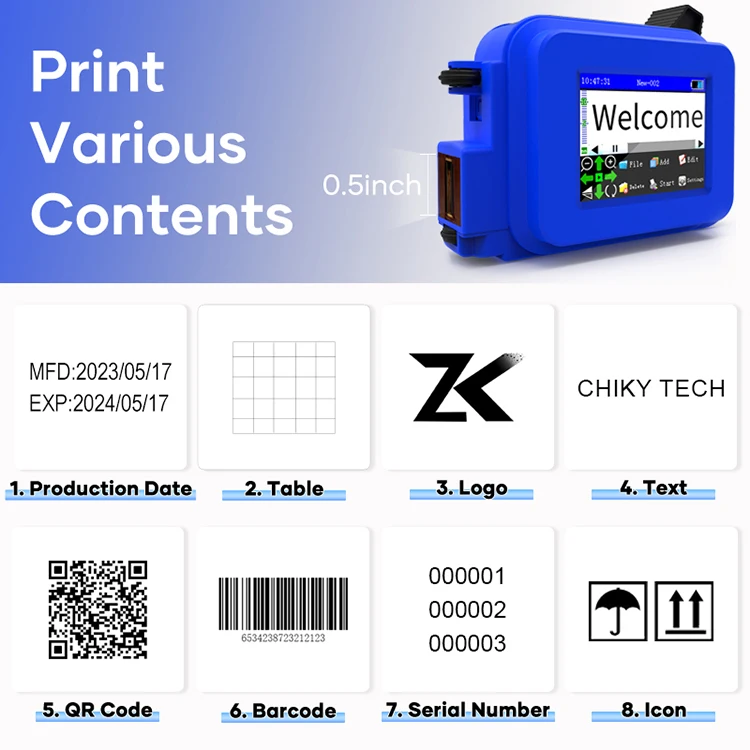
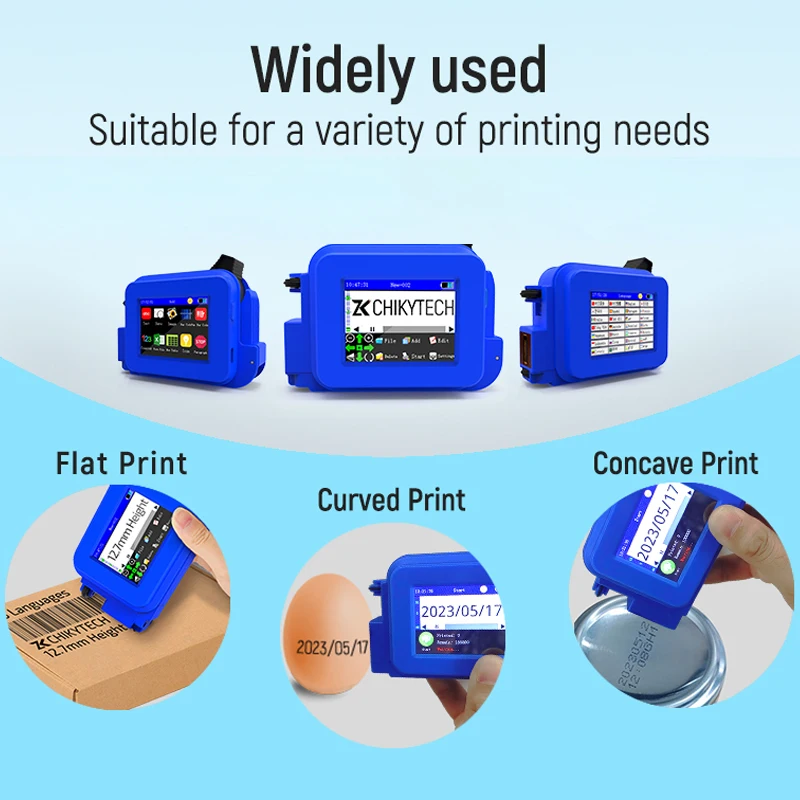
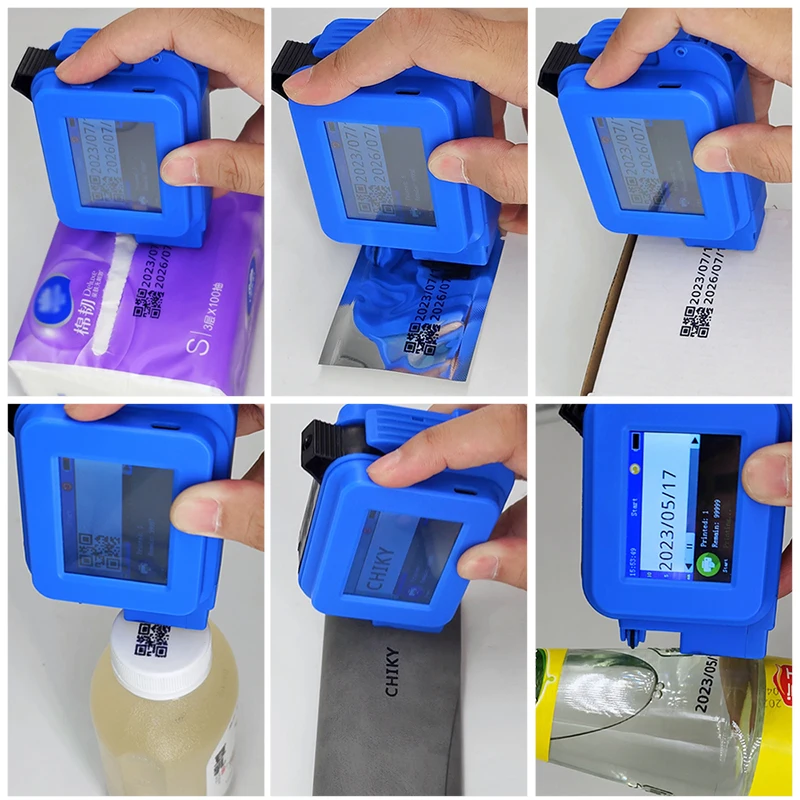
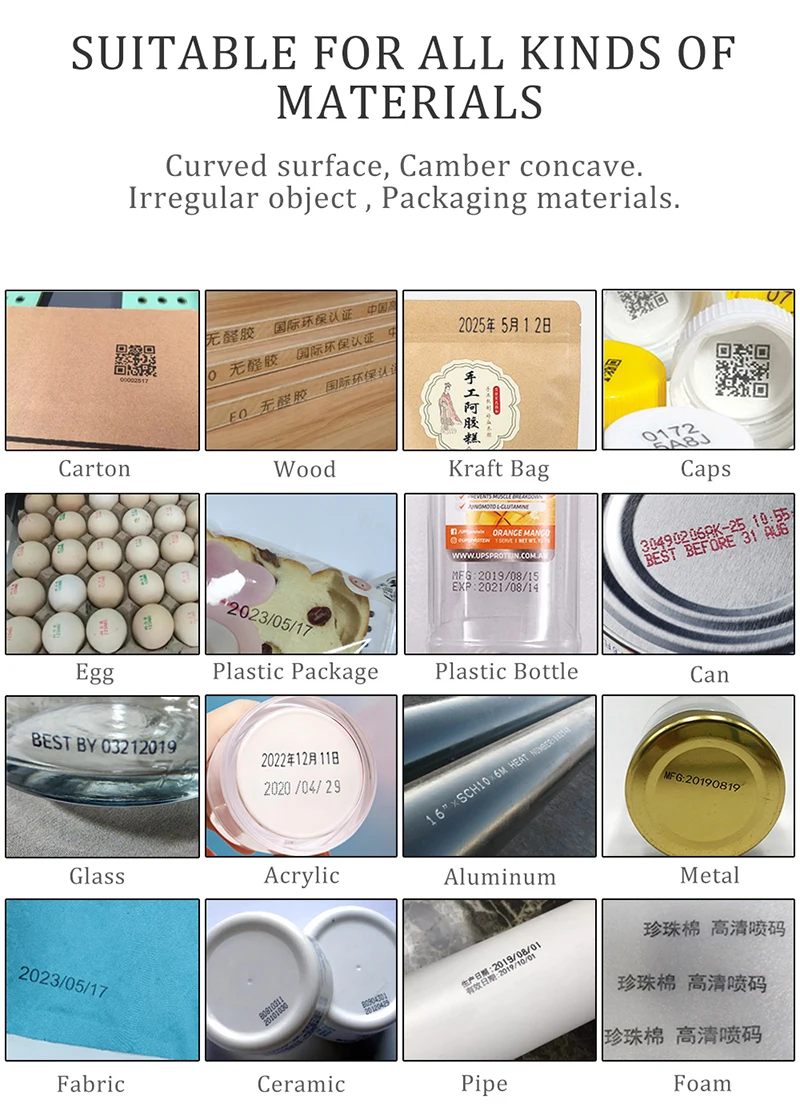
Quick Drying Solvent Ink, 600DPI High Definition Nozzle, No APP needed, suitable for printing text, label, digital, QR code, barcode, production date, time, logos on the surface of boards, carton, stone, pipe, cable, metal, glass, plastic, etc.
Big Advantages:
1. This Handheld Inkjet Printer is no encrypted, so you can by the ink cartridge anywhere.
2. 28 Languages for your switching! More languages are under developing.
(The printer interface language default is English, If you need other Languages ,please contact us.)
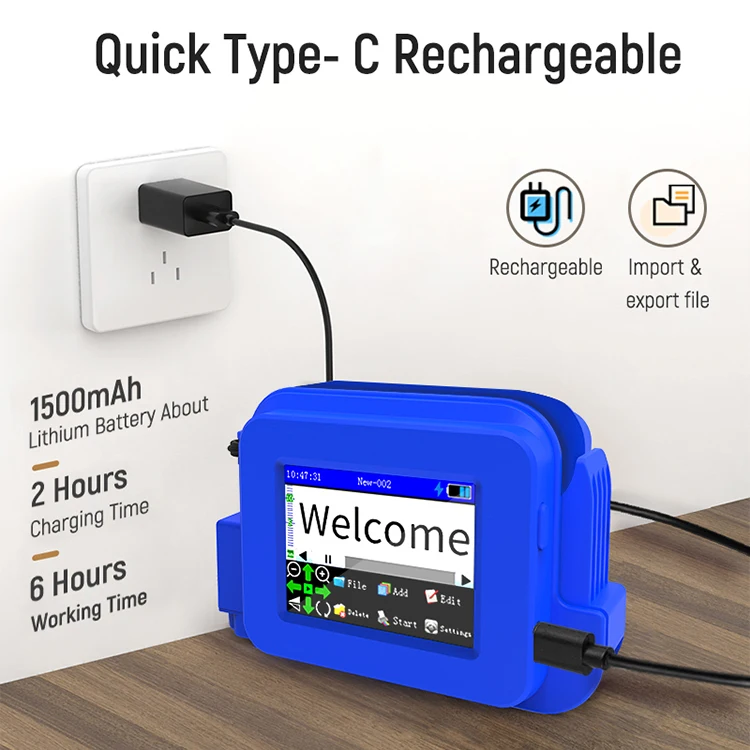
3.1500mAh battery capacity, can be detchable to charge, safety and qualified. It can last 6 hours after charge.
4. This New upgrade printer is support input own fonts.
5.Fast Drying Ink, can be marked on virtually any surface. The ink is waterproof but it's easy to wipe out with rubbing alcohol.
(Please cover the protective cover in time to prevent the ink cartridge from drying
up and blocking the nozzle.)
6. We are Inkjet Printer Manufacturer, We have strict quality control, Reasonable price and Fast Delivery.
(We provide replacement parts for our products in case of any malfunctions or issues. This ensures our customers can easily repair their machines without having to purchase a new one, saving both time and money. )
7. We provide video tutorials that guide customers through the installation, operation, and maintenance processes.
(Any question, please contact customer service, we will
About Package and Shipping:
1. Dust - proof bag With stadard box, So you don't need to worry about whether the product quality is guaranteed
during transportation.
2. We will ship your order in 48 hours (unless it is a holiday).
Item Specifications
PACKING &SHIPPING
[ALL IN ONE] Package includes everything you need to start:
Fast delivery and Enough Inventory
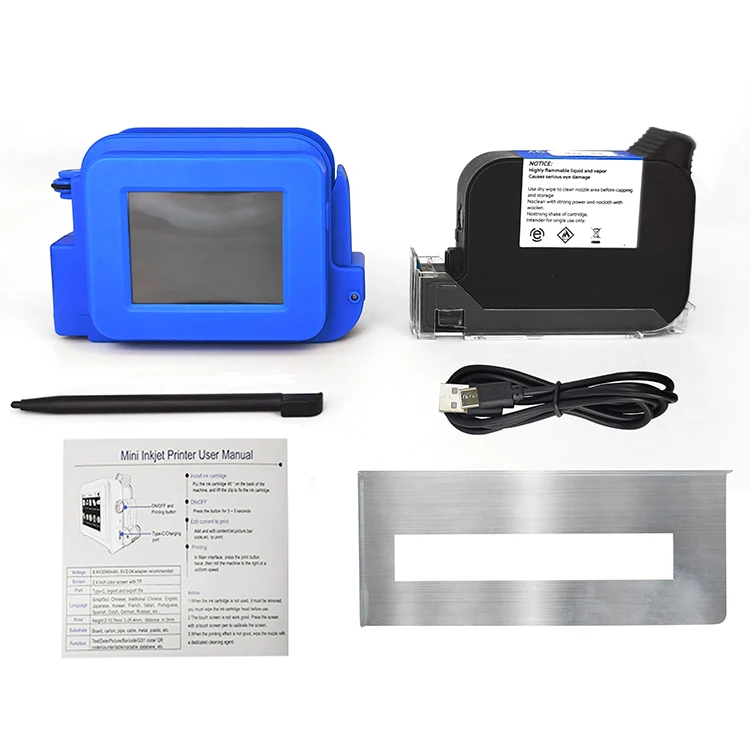
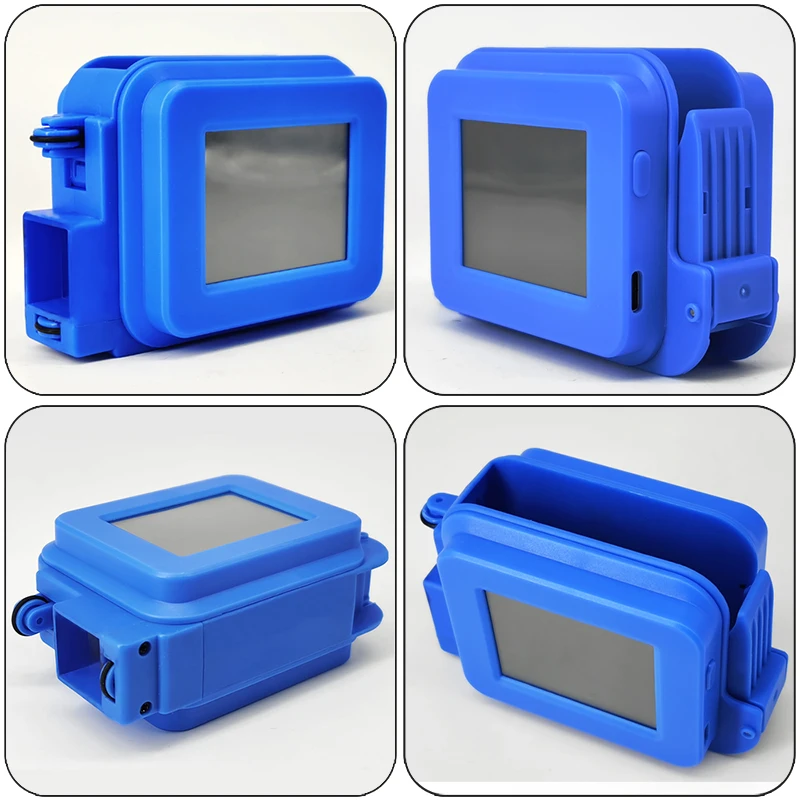
PRODUCT SHOW
Products actual photo, Pay attention to every detail
FAQ
Q1: Can this printer print large word?
A1: Maximum font height 12.7mm
Q2: What is the printing distance between the printer's print head and material?
A2: Better between 2 and 5 mm.
Q3: How long does it take for the ink to dry?
A3: About 3-5 seconds.
Q4: Can the printer print on the bottle?
A4: Yes, this printer is suitable for printing text, label, digital, QR code, barcode, production date, logos on the surface of boards, carton, stone, pipe, cable, metal, glass, plastic, etc.
Q5: How many languages the printer can be support?
A5: 28 Languages for your switching
Q6: How to better protect the ink cartridge nozzle?
A6: When not using ink cartridges, please close the protective cover in time. Dip a soft paper towel with a small amount of alcohol before use, and then gently wipe the nozzle in one direction.
Q7: Why does the printer screen not work?
A7: When you find that the screen of the printer is not working, please calibrate the screen of the printer.
Q8: What should I do if the printer cannot print?
A8:
1. Check whether the timing belt on the left side of the printer is off (not in the groove);
2. Check if there is ink in the ink cartridge;
3. Switch the nozzle of the printer in the settings;
4. After turning off the printer, reinstall the ink cartridge.
Q9: The ink cartridge of the printer can print, but the printing is not clear, what should I do?
A9:
1. Check whether the ink cartridge nozzle is clean and dry, and wipe the nozzle carefully with a clean soft tissue;
2. Take out the ink cartridge when the printer is off, shake the nozzle down several times, and stick a clean paper towel on the surface of the nozzle to divert the ink in the box;
3. Switch the nozzle of the printer in the settings;
4. The above operation still cannot be solved, please replace the ink cartridge.